Jim Rossman: Can you really fight spam?
Published in Science & Technology News
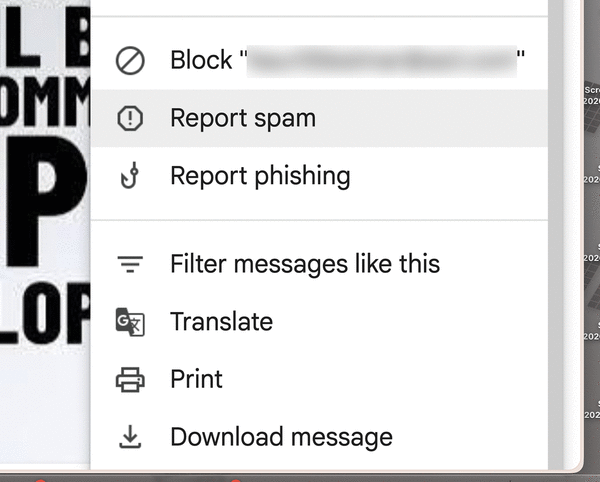
This week a reader needs email help: “I get way too many nonsense and useless emails. I’ve tried unsubscribing but it often doesn’t work or makes the problem worse. Is there a way to move these unwanted emails automatically to my junk folder? Some do automatically go there but too many get through. Can I select these unwanted emails and move them to junk and then they will go to the junk folder from then on? Do I need to reselect certain words to move them to junk?"
Great questions, let’s get into it.
The U.S. government passed the CAN-SPAM Act in 2003 that requires a clearly-explained opt-out method, and then to honor that unsubscribe request within 10 business days.
Emailers also can’t charge a fee or require the recipient to log in or create an account or ask for any other personal information before granting the request.
These changes have been great for consumers and legitimate marketers will remove you without issue; the scummy spammers have no intention of removing you from their lists.
In fact, if you click the “unsubscribe” link on their spam messages, you’re just verifying you are a live person and they have your correct email address.
The best thing you can do is find out how your specific email provider tags spam, then select each junk message and mark it as spam. Reporting them helps your email provider figure out how to block them next time.
You can usually right-click on them and send them to a junk folder or select the message in your inbox and click a spam or junk button to get rid of them.
Blocking the senders or subject lines on your end may work for a little while, but spammers will just change their “sent from” address and their subject line and send them again. Some will even just send their message as an attachment so that spam filtering can’t catch the text.
What you may be able to do is set up filters on your email account that key on certain senders or even whole domains. If the messages contain the same wording, you can set up filters looking for those words and then route those messages to the trash or at least mark them as read and collect them in a folder for you to examine.
____
©2026 Tribune Content Agency, LLC.






Comments